


All Document Reader:PDF Viewer
3.7168.00 Reviews
App Specs
- Version
- 3.2.4
- Updated On
- License
- Free
- Downloads
- 10,000,000+
- Developer
- One Stop Apps
- Categories
- Business
- Platform
- Android
Screenshots
 Analysis by AppCompare
For me, the real test of a mobile document app isn’t whether it can open a file once; it’s whether I still reach for it after the first week. All Document Reader: PDF Viewer is built for the everyday task of opening documents in one place, and that convenience can be useful when work, study, and personal files are scattered across a phone. Its appeal is easy to understand, though its lasting value depends on how often you handle different file types and whether you need more than a handy reader.
A quick win when files arrive from everywhere
In the first few days, an all-in-one reader can simplify a familiar nuisance: tapping a document in a message, download, or folder and wondering which app will open it. This business app from One Stop Apps brings document reading into a single destination. It is free to install, rated for Everyone, and has attracted over five million installs. The average rating is 3.8 from around 6,300 ratings, which suggests broad use but also leaves room for different experiences.
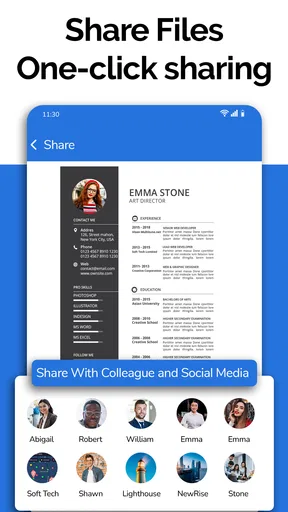
A realistic use case is a busy morning: I receive a PDF schedule, need to check a spreadsheet, then open a Word file before a meeting. Having one reader available for those tasks can spare me from switching between several apps just to inspect files. That is the strongest first-week benefit: less app-hopping for routine viewing, rather than a dramatic change to how I work.
What earns a place in a regular routine
All Document Reader: PDF Viewer is most useful when document variety is part of the week, not an occasional exception. A student moving between reading material and spreadsheets, or someone checking office files while away from a computer, may appreciate the convenience. If I only read PDFs, a dedicated PDF app may be simpler and more focused. If I regularly edit complex documents, the relevant office suite remains the better tool; a mobile reader is not a substitute for a full desktop workflow.
For occasional use, the free starting point makes it easy to try without committing to a subscription. The app is currently at version 3.1.8 and supports devices running Android 7.0 or later. In-app purchases range from $2.99 to $49.99 per item, so I would check what a paid option covers before buying and decide whether it solves a recurring need. The key question is not whether an extra option exists, but whether I would use it often enough to justify the spend.
Small habits that prevent document clutter
A reader that gathers files from a device is only as helpful as the habits around it. I would use a simple naming routine for downloads—project or class name first, then the document’s purpose—so a crowded folder is easier to scan later. Before annotating a file, I would also keep an untouched original when the document matters. That small precaution makes it easier to distinguish my notes from the source and to recover if I need a clean copy.
Another useful habit is to treat a document reader as a place to inspect and mark up files, not automatically as the final home for every important record. I would keep important work organized in the folders or storage system I already rely on, then use the reader to open it. This reduces dependence on any single app’s browsing layout and makes files easier to find through familiar routes if my routine changes.
Worth Reading Before You Choose

Flipboard Shows What News Apps Must Do Beyond the Feed

Switching to Android Auto Means Rethinking Your Driving Routine

Google Calendar Makes a Crowded Week Easier to Manage

Ludo King Makes the Most of the Minutes Between Plans

Baby Panda World Brings Quick Play to Modern Phones, but Its Game Library Feels Busy

ESPN’s Live Game View Makes Following Close Games Easier
Where convenience can turn into friction
Trying to cover many formats is useful, but it can also make an app feel less specialized than a dedicated PDF reader or spreadsheet app. A quick look at a file is different from carefully editing a workbook, collaborating on a document, or managing a large archive. I would choose the tool according to the task: use this kind of reader for convenient access, and switch to a specialist when precision, advanced editing, or a deeper file-management workflow matters.
There is also a maintenance cost to any app that sits between me and frequently used files. I need to keep its place in my routine clear: open and review here, then store and organize files in the system I trust. If I start duplicating documents, forgetting which copy has my notes, or repeatedly searching through an untidy download folder, the convenience has stopped paying for itself. A simple monthly tidy-up can help—remove files I no longer need and preserve important originals in their usual location.
Who should keep it—and who can skip it
I would recommend trying it if I often receive PDFs alongside Word, Excel, presentation, text, or image files and mainly need to read them on a phone. It is also a reasonable option for someone who wants a single starting point for everyday document checks rather than installing a separate viewer for each format. The app’s 119 reviews add another perspective beyond its rating, but individual experiences can vary, so I would test it with the kinds of files I actually use.
I would skip it if my phone is used almost exclusively for one format, if I need desktop-level editing, or if my workplace requires a specific document system. People handling sensitive or business-critical files should follow their organization’s storage and security practices rather than assuming any general reader is the right place to keep them. The app is best judged as a convenient utility, not as a replacement for every tool in a document workflow.
Before making it a daily habit, I would try a few representative files: a long PDF, a spreadsheet with information I need to inspect, and a document I might want to mark up. That quick trial answers practical questions better than a feature checklist: does the text remain comfortable to read, can I find the right file without frustration, and does the way I use notes fit my needs? If the answer is yes for tasks I repeat, it has a reason to stay installed.
When it comes to managing documents on your mobile device, the All Document Reader: PDF Viewer app is like having a Swiss Army knife in your pocket. It's versatile, intuitive, and surprisingly powerful. I’ve been tinkering with this app for a while now, and let me tell you, it’s been quite the game-changer for my on-the-go productivity.
Getting Started: First Impressions
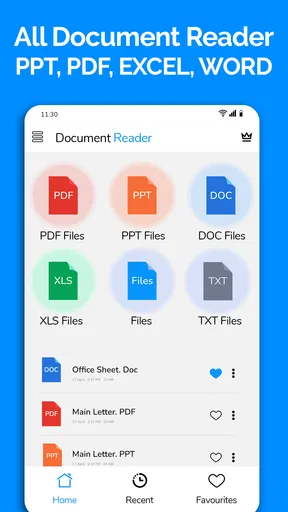
Installing the All Document Reader: PDF Viewer was a breeze. The app is lightweight, so it didn't take up much space on my device—a big win if you're like me and constantly battling storage issues. Once I fired it up, I was greeted with a clean, user-friendly interface. No clutter, just the essentials, making navigation feel as smooth as butter.
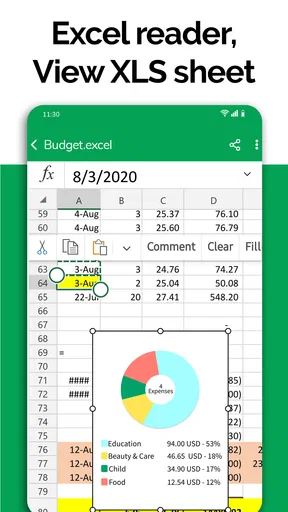
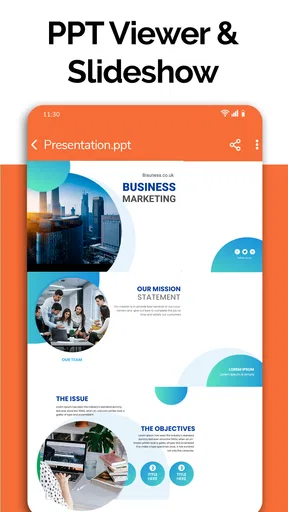
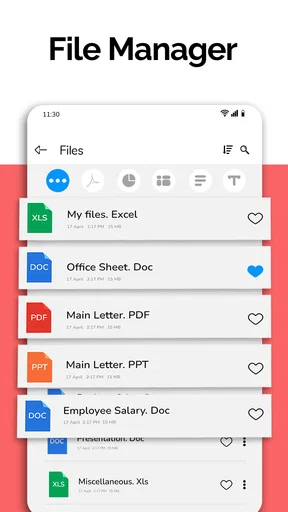
One of the first things I noticed was how easy it was to access my documents. Whether it's PDFs, Word files, Excel spreadsheets, or even PowerPoint presentations, this app handles them all with ease. The app automatically scans your device and organizes everything neatly, so finding what you need is a piece of cake.
Features That Stand Out
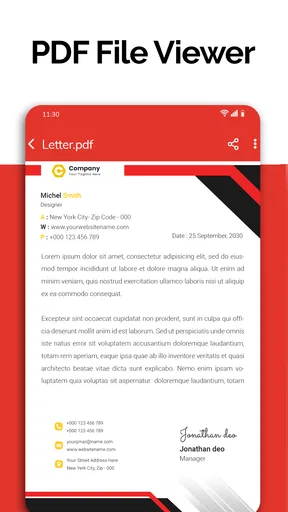
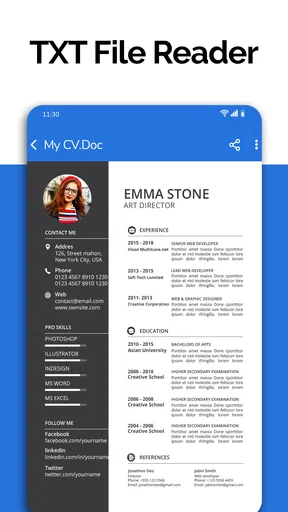
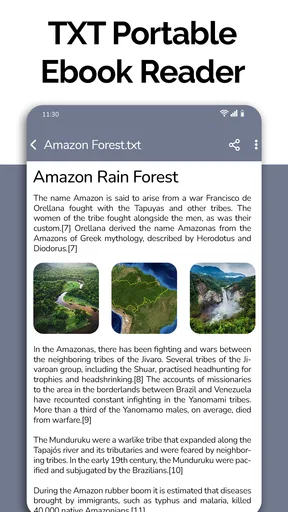
Now, let's dive into what makes this app tick. The sheer variety of formats it supports is impressive. From PDFs to text files and even image files, it opens just about anything you throw at it. The PDF viewing experience is fantastic, offering a smooth scroll and pinch-to-zoom functionality that feels incredibly responsive.
But it's not just about viewing. The app allows for annotations too. Highlighting text, adding notes, and drawing directly on your PDFs is a breeze. This feature has been super handy for my work, especially when reviewing documents on the fly.
The app also shines in its ability to convert documents. Need to turn a Word document into a PDF? No problem. This capability saves me so much time and hassle, especially since it doesn’t require any additional software or online tools.
The User Experience
From a usability standpoint, the app scores high marks. The layout is intuitive, and even if you're not the most tech-savvy person out there, you'll find your way around without a hitch. The developers have clearly put a lot of thought into the design, ensuring that every feature is just a tap away.
One feature that I particularly love is the night mode. It's gentle on the eyes, making late-night reading or editing sessions much more comfortable. Trust me, your eyes will thank you.
Performance and Reliability
In terms of performance, the app is a powerhouse. It loads documents quickly, and I haven’t encountered any crashes or bugs, which is a huge plus. It’s reliable, and that’s crucial, especially when you’re working with important files.
Battery life is often a concern with productivity apps, but I found that All Document Reader: PDF Viewer is quite efficient. It doesn’t drain the battery excessively, even during prolonged usage, which is a relief when you’re out and about without a charger.
Final Thoughts
So, is the All Document Reader: PDF Viewer worth your time? Absolutely. It’s a robust, all-in-one solution for document management on mobile. Whether you're a student, professional, or just someone who likes to keep their documents organized and accessible, this app has got you covered.
It’s rare to find an app that combines functionality with ease of use, but this one nails it. If you haven't already, give it a whirl. It's available for both Android and iOS, and you can download it right away. Trust me, once you do, you'll wonder how you ever managed without it.
Pros
- Supports multiple file formats seamlessly.
- User-friendly interface for easy navigation.
- Fast document loading and rendering.
- Offline access to documents available.
- Lightweight app with minimal storage usage.
Cons
- Contains in-app ads that can be intrusive.
- Limited features in the free version.
- No annotation tools for editing.
- Occasional crashes on large files.
- Requires frequent updates for bug fixes.
FAQs for All Document Reader:PDF Viewer
What file formats does All Document Reader: PDF Viewer support?
All Document Reader: PDF Viewer supports a wide range of file formats, including PDF, DOC, DOCX, XLS, XLSX, PPT, PPTX, and TXT. This versatility allows users to view and manage multiple document types without the need for multiple apps, making it a convenient tool for both personal and professional use.
Is an internet connection required to use All Document Reader: PDF Viewer?
No, an internet connection is not required to view documents with All Document Reader: PDF Viewer. Once files are downloaded to your device, you can access and view them offline. However, an internet connection may be necessary for downloading updates or accessing cloud-based files.
Does All Document Reader: PDF Viewer allow for editing documents?
All Document Reader: PDF Viewer primarily focuses on viewing documents rather than editing them. While you can open and read various file types, the app does not offer comprehensive editing features. For document editing, you may need to use additional software that supports editing capabilities.
Are there any in-app purchases or advertisements in All Document Reader: PDF Viewer?
Yes, All Document Reader: PDF Viewer may offer in-app purchases to unlock premium features, such as removing ads or accessing advanced functionalities. The free version might include advertisements, which can be removed with a premium upgrade. Users should review these options to determine what best suits their needs.
How secure is my data when using All Document Reader: PDF Viewer?
All Document Reader: PDF Viewer takes user privacy and data security seriously. The app requires permissions to access files on your device but does not store or share your data without consent. Always ensure you download the app from reputable sources to avoid security risks and maintain data integrity.


